The Complete Guide to Home Golf Simulators (2026): What to Buy, What to Spend, and What Nobody Tells You
What a home golf simulator costs, which launch monitor to buy for your handicap, room size requirements, and the true 3-year cost nobody else publishes.
Quick Picks
The sweet spot for most golfers is $7,000 to $10,000 all-in. The Garmin Approach R50 is the standalone launch monitor pick, typically $4,600 to $4,700 for the unit alone, with 43,000+ courses built in and no mandatory subscription. Add a screen, mat, and enclosure yourself, or step up to Garmin's SimStudio bundle version, and a full setup lands in the $7,000 to $10,000 all-in sweet spot most golfers land in.
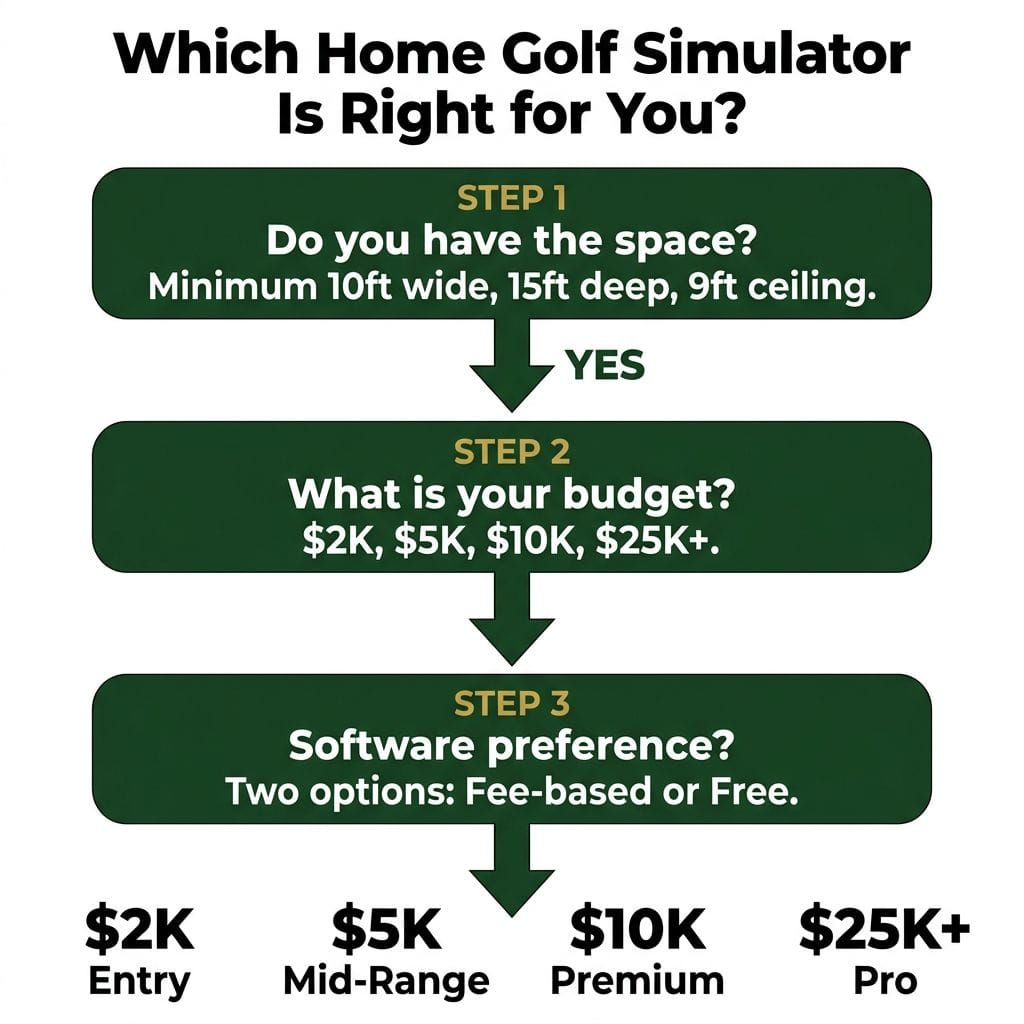
You need a minimum of 10 feet (3.0m) wide, 15 feet (4.6m) deep, and 8.5 to 9 feet (2.6 to 2.7m) ceiling height. Recommended is 14 to 15 feet (4.3 to 4.6m) wide, 18 feet (5.5m) deep, with a 10 foot (3.0m) ceiling.
Software subscriptions add $250 to $1,200 per year depending on your platform. The R50's built-in courses and Awesome Golf's $350 lifetime license are the two ways to avoid ongoing fees.
The true 3-year cost of a mid-tier setup is $9,000 to $12,300, depending on software choice. Competitors' TCO guides omit ball costs and understate subscription stacking.
Your handicap determines which launch monitor you need. A 15 to 22 handicapper doesn't need 30 data points. Ball speed, carry, launch angle, and spin rate are the metrics that change your practice. Don't overspend on data you won't use.
A home golf simulator is the single best investment a serious amateur golfer can make. Not new irons. Not a lesson package. A simulator. For a 10 to 25 handicapper hitting 50 sessions a year, the data improvement from structured indoor practice outpaces anything a $2,000 set of clubs delivers, and the maths backs it up once you factor in the green fees and range buckets you're no longer paying for.
But the buying decision is harder than it looks. The sticker price on a launch monitor is the smallest number in the equation. Software subscriptions stack up. Consumable ball costs vary depending on hardware. Room dimensions dictate which technology works and which gives you garbage data. And no competitor guide on the internet publishes the honest three-year total cost of ownership, because the number includes line items they'd rather you discover after purchase.
This guide fixes that. Every price reflects manufacturer and major-retailer pricing (April 2026). Every accuracy claim cites MyGolfSpy's 2025 launch monitor testing. Every room dimension is cross-referenced across four specialist sources. The opinion is mine. The data isn't.
How a Home Golf Simulator Works
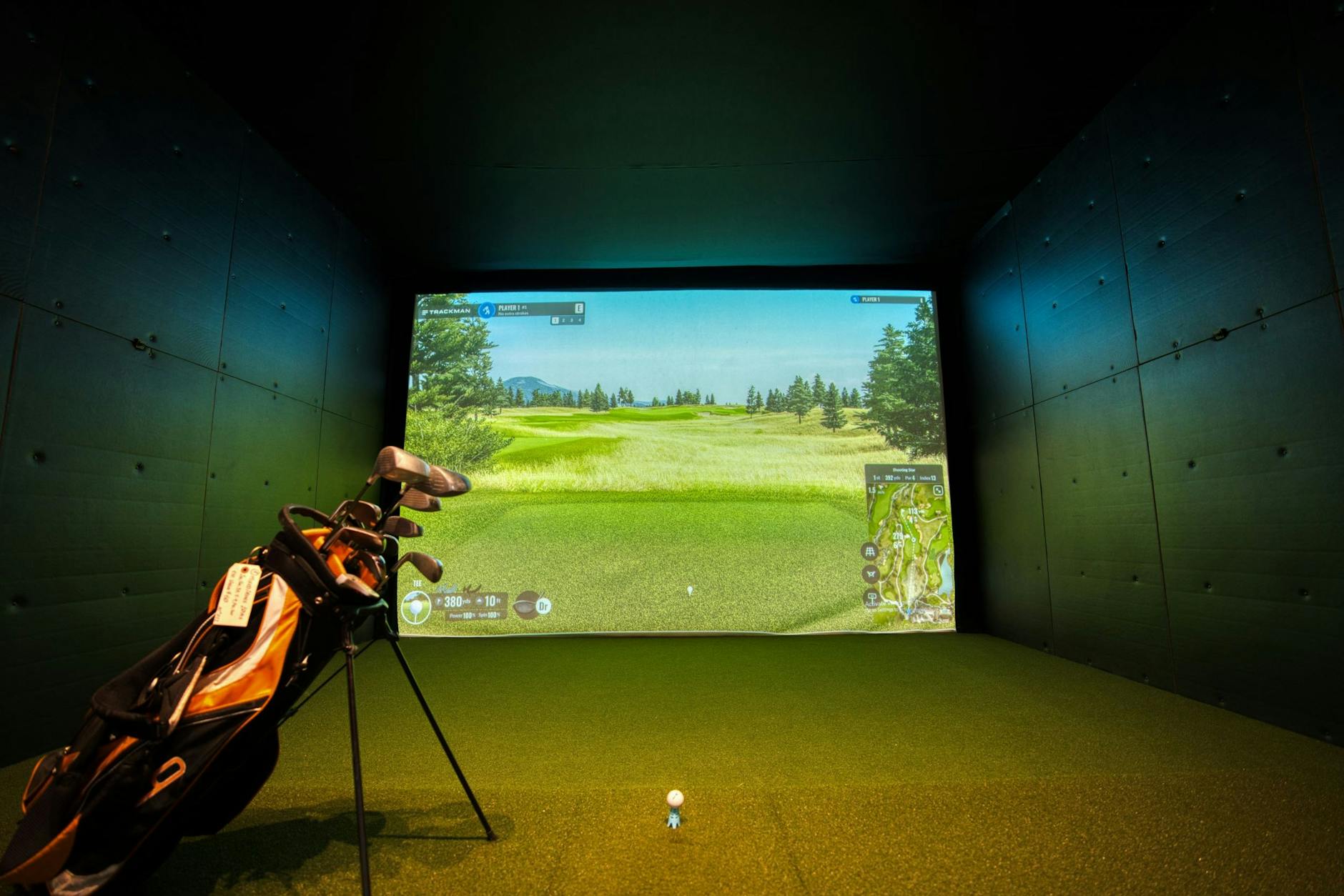
A home golf simulator combines three components: a launch monitor that tracks your ball and club data, software that runs the virtual round on screen, and an enclosure that contains the ball and projects the course image.
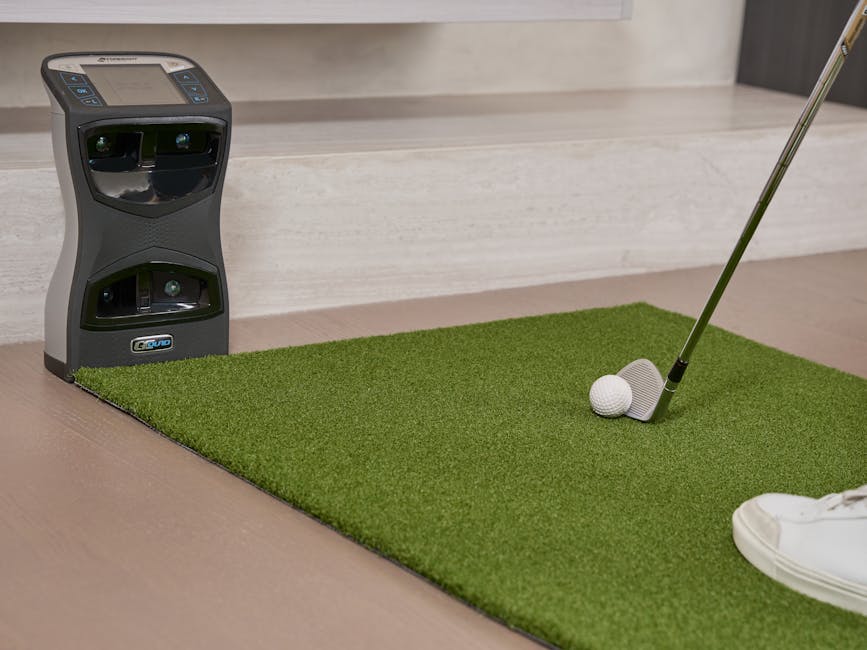
Launch monitors split into two categories. Radar-based units (Garmin Approach R10, FlightScope Mevo Gen2) sit behind you and track the ball in flight using Doppler radar. They need 8 to 10 feet (2.4 to 3.0m) of space behind the golfer and work best in rooms over 17 feet (5.2m) deep. Camera-based units (Garmin Approach R50, SkyTrak+, Foresight GC3) sit beside or above the ball and measure impact data from high-speed imagery. They work in shorter rooms, as shallow as 12 feet (3.7m) deep.
Overhead-mounted units (Uneekor EYE XR, Uneekor EYE XO2) are a subset of camera-based technology. They mount to your ceiling, leave the floor clear, and work for both left-handed and right-handed golfers without moving any equipment. This is where the industry is heading.
The other major split is standalone versus PC-dependent. The Garmin R50 runs its own software on a built-in touchscreen with 43,000+ courses and needs no computer. Most other systems require a Windows gaming PC ($800 to $1,900+) to run simulation software like GSPro or E6 Connect. For a golfer who wants to walk into the garage and start hitting in under two minutes, standalone matters. For a golfer who wants the best graphics and course realism, a PC-based setup with GSPro is the answer. If you want the full room planning breakdown, including flooring, lighting, and power requirements, our dedicated room planning guide covers every detail.
How Much Space Do You Actually Need?
The minimum workable space for a home golf simulator is 10 feet wide, 15 feet deep, and 8.5 to 9 feet of ceiling height (about 3 by 4.6 by 2.6 to 2.7 meters), per Carl's Place. The recommended target is 14 to 15 feet wide, 18 feet deep, with a 10 foot ceiling (about 4.3 to 4.6 by 5.5 by 3 meters), per Trackman and Carl's Place. These figures are consistent across Carl's Place, IndoorGolfDesign, Rain or Shine Golf, and SimSpace Golf.
Ceiling height depends on your height and swing. According to Rapsodo's guidance (2025), if you're between 6 and 6.5 feet (1.83 to 1.98m) tall, aim for at least 10 feet (3.0m) of vertical clearance. Taller than 6.5 feet (1.98m) and you'll want 11 feet (3.35m). If your driver follow-through is high (and you'll know if it is), err on the tall side.
Radar vs Camera in Short Rooms
This is the single most common mistake in home simulator builds: assuming depth decides which launch monitor type you need.
It doesn't. Both radar-based and camera-based units want the same room: a minimum of 15 feet (4.6m) deep, with 18 feet (5.5m) recommended. A room under that 15-foot minimum compromises accuracy for any monitor type, not just radar.
What actually differs between the two is sensor placement, not room size. Radar-based units need flight time and a clear, unobstructed sightline behind the ball to track it. Camera-based units (GC3, R50, SkyTrak+, EYE XR) measure at the moment of impact instead, from beside the ball, so they're less exacting about what sits directly behind the hitting position. Neither type needs less total room depth than the other. Choose based on sensor placement and how you want to use the space, not on a depth shortcut that doesn't hold up.
Room Size Quick Reference
Room Dimension
Minimum
Comfortable
Notes
Width
10 feet (3.0m)
14 feet (4.3m)
Under 14 feet (4.3m): single tee position, one-handed setup per session
Depth
15 feet (4.6m)
18 to 20 feet (5.5 to 6.1m)
Under 15 feet (4.6m) deep: too tight for any launch monitor type, radar or camera
Ceiling
9 feet (2.7m)
10 feet (3.0m)
11 feet (3.35m) if over 6'5" (1.96m)
Left-Handed and Right-Handed Golfers
In a 10 foot (3.0m) wide room, the tee position sits against one wall. You can swing from one side only. In a 14+ foot (4.3m) wide room, a center tee works for both left and right-handed golfers. If your household has golfers who swing from both sides, overhead-mounted units (EYE XR, EYE XO2) are the cleanest solution: they're ambidextrous by design, no repositioning required.
The Four Budget Tiers: What You Get at Each Price Point
The sweet spot for a serious home simulator is $5,000 to $10,000 all-in. Below $2,000, you're getting a launch monitor and a net, not a simulator. Above $25,000, you're paying for marginal accuracy gains that a teaching professional can justify but a 14-handicapper can't.
$2,000 to $5,000: Practice Setup
This tier is honest about what it is: a launch monitor, a net, a mat, and maybe a basic projector. It's practice-focused, not a full simulator experience.
Primary pick: Rapsodo MLM2PRO ($699.99). Named MyGolfSpy's Best Launch Monitor Under $1,000 for 2025, the third consecutive year. Dual camera and radar. MyGolfSpy noted it "consistently posted some of the lowest average differences relative to GCQuad, often matching or outperforming more expensive units indoors." For outdoor spin tracking, it requires RPT-marked balls ($58 to $70 per dozen).
Rapsodo MLM2PRO
MyGolfSpy's Best Launch Monitor Under $1,000 for three consecutive years. Dual camera and radar. Accurate indoors and out.
Also consider: Garmin Approach R10 ($499 to $599). Radar-based, so needs a room 17+ feet (5.2m) deep for accurate driver data. Spin is calculated, not measured. Compatible with E6 Apex and Awesome Golf.
All-in at this tier: $2,000 to $3,500 with a basic net, mat, and the launch monitor. Set expectations: you're getting range practice and shot data, not Pebble Beach on a projector screen.
$5,000 to $10,000: The Sweet Spot
The Garmin Approach R50 anchors this tier once you count the full playable setup, even though the launch monitor alone is priced under the bracket's floor, typically $4,600 to $4,700 for the unit. It's a 10-inch (25cm) color touchscreen device with three high-speed cameras and 15-plus metrics, including spin and axis, and it runs up to 4 hours on its own battery. No gaming PC, no mandatory subscription, and 43,000-plus virtual courses built in.
Add your own screen, mat, and enclosure, or buy Garmin's SimStudio bundle version with a wireless HDMI transmitter, enclosure, impact screen, 5-foot by 5-foot (1.5m by 1.5m) hitting mat, putting and landing turf, side barriers, and an Optoma ZW350ST HD projector, and a full setup lands in this tier's $5,000 to $10,000 range. That's the plug-and-play route; the standalone R50 is the route for pairing a launch monitor with space and a screen you already have.
MyGolfSpy named it Best Overall personal launch monitor for 2025 and noted it "performed on the same level as GC3 indoors, with launch angle and spin rate staying especially tight while ball speed and carry distance remained well controlled."
For a golfer with a two-car garage and a budget under $10,000, this is the setup. It's what the data points to.
Garmin Approach R50
Standalone launch monitor: no PC, no subscription. Runs 43,000+ virtual courses on its built-in system. MyGolfSpy named it Best Overall personal launch monitor for 2025.
Replaced the original Launch Pro in 2025. Indoor and outdoor use. Requires Silver ($199/yr) or Gold ($499/yr) subscription.
$10,000 to $25,000: Overhead Premium
This tier is for golfers building a dedicated simulator room, not converting a shared garage. The overhead-mounted launch monitor is the right architectural choice here: it keeps the floor clear, looks cleaner, and supports both left and right-handed golfers without rearranging anything.
Primary pick: Uneekor EYE XR ($5,999.99), bundled with Swing Optix cameras and a one-year AI Trainer subscription (was $8,800). All-in with a Carl's Place Pro Enclosure: expect $12,000 to $18,000 depending on enclosure size and projector. No ball stickers required. 19 data points. Ceiling-mounted. Requires a gaming PC.
Uneekor EYE XR
Overhead ceiling-mounted launch monitor. No ball stickers, 19 data points, ambidextrous. The right choice for a dedicated simulator room.
Also strong: Foresight GC3 (bundle). Ball and club data. Indoor and outdoor. No special balls required (works with any premium ball). FSX Play software included, no subscription. Also compatible with GSPro ($250/yr) and E6 Connect.
Foresight GC3 Launch Monitor (bundle)
Sold as a bundle with a rangefinder. Ball and club data. Works with any premium ball, with no special balls required. FSX Play software included, no subscription. Indoor and outdoor.
For the full-spec ceiling option: Uneekor EYE XO2 ($11,000 to $14,000). 300% larger hitting zone than the original EYE XO. More data points. The premium overhead choice.
$25,000+: Pro-Level (Do You Need This?)
If you're asking whether you need Trackman, you don't need Trackman.
The Trackman 4 ($21,995 + $1,100/yr mandatory subscription) is the teaching industry standard. Dual Doppler radar. Requires a deep indoor space or outdoor use for full ball flight tracking. It's a tool for PGA teaching professionals and golf academies, not a 14-handicapper's basement.
The Foresight GCQuad ($17,999 loaded) is the accuracy reference standard. It's the device MyGolfSpy uses as the benchmark in testing ("versus GCQuad"). Justified for tour players and fitters.
Spending $22,000 on a Trackman for your garage is like buying a Formula 1 steering wheel for your road car. The Uneekor EYE XO2 or GC3 delivers 90%+ of either system's data quality at a fraction of the cost.
Which Launch Monitor? A Handicap-Tiered Answer
The launch monitor is not the place to cut corners. But buying more than you need is waste, not wisdom. Your handicap determines which data points change your practice and which are noise.
Handicaps 15 to 22: What You Need
At this level, four metrics drive improvement: ball speed, carry distance, launch angle, and spin rate. Club path and face angle are useful for swing feedback, but you don't need 30 data points. You need to know how far each club goes, whether you're launching too high or too low, and whether your spin is costing you distance.
Best fit: Garmin R50 or SkyTrak+. If budget is the primary constraint, the Rapsodo MLM2PRO at $699.99 delivers indoor accuracy that MyGolfSpy rates alongside units costing three to four times more. Our sub-$1K launch monitor breakdown covers the full field at this price point.
Handicaps 8 to 14: Where Data Quality Starts to Matter
In practice, you're hitting it well enough that spin accuracy becomes a real variable. A 200-RPM difference in measured spin rate changes the club you should hit into a 150-yard (137m) par three. At this handicap, you're also more likely to work on shot shaping, where face-to-path data needs to be precise.
Best fit: GC3 or R50. The GC3 gives a step up in spin accuracy and ball-plus-club data. The R50 is strong enough here for most golfers who aren't chasing single-digit handicaps.
Scratch to 7: When Overhead Makes Sense
Every metric matters at this level and you'll use the data actively. An overhead unit is the right long-term investment: it captures data from a fixed position, handles every club including the driver without repositioning, and the ambidextrous setup means you can work on both sides of the ball.
Best fit: Uneekor EYE XR or EYE XO2.
Accuracy Reference (MyGolfSpy 2025)
Launch Monitor
MyGolfSpy Award (2025)
Key Finding
Garmin Approach R50
Best Overall
"Performed on the same level as GC3 indoors"
Rapsodo MLM2PRO
Best Under $1,000 (3rd year)
"Consistently posted some of the lowest average differences relative to GCQuad"
FlightScope Mevo Gen2
Staff Pick, Best for Portability/Accuracy
Strong for outdoor use and portability
Bushnell Launch Pro (original)
Historical: 1.14% total indoor deviation
Note: original model discontinued in 2025. Replaced by Circle B Edition.
Golf Simulator Software: The Subscription Question
Before you buy hardware, know what software costs you per year. Subscription stacking is the hidden bill that can add $450 to $1,200 annually to a setup that already cost $5,000 to $10,000 upfront. GolfSimulatorSource's 2026 cost guide frames the issue well, but doesn't map it to specific hardware choices. Here's the full picture. For a head-to-head on the three main platforms, our GSPro vs E6 Connect vs TGC 2019 comparison digs into the detail.
Software Comparison
Software
Annual Cost
PC Required?
Courses
Best For
Compatible With
GSPro
$250/yr
Yes (Windows)
Community-built, best realism
Tech-comfortable golfers who want the best graphics and online tournaments
20+ launch monitors inc. Garmin, Foresight, Uneekor, Bushnell
NOT compatible with Garmin R10, Foresight GC3, or Bushnell Launch Pro. Check compatibility before buying.
The Subscription-Free Path
Two options exist for golfers who refuse to pay annual software fees.
The Garmin R50 runs its own course library, no PC and no subscription. The library was redesigned in 2025 and includes 43,000+ courses. It's the primary reason the R50 is the best mid-range recommendation for most home users.
Awesome Golf offers a $350 lifetime license. It's the only major simulator software with a permanent one-time purchase option. The courses are cartoon-style, which suits family and casual use. Compatible with most modern launch monitors.
The Subscription Trap: Uneekor and GSPro
Even so, Uneekor hardware requires an active Ultimate Subscription to connect with GSPro. That means you're paying the GSPro fee ($250/yr) plus the Uneekor platform fee on top of $6,000 to $14,000 in hardware. Budget for both before committing. Rapsodo MLM2PRO users face a similar structure: a Rapsodo Premium Membership is required to enable GSPro compatibility.
TGC 2019: The Compatibility Warning
TGC 2019 has 150,000+ community-designed courses and no ongoing subscription cost. It's still talked about in forums. But online play and active development have been discontinued, and it is not compatible with the Garmin R10, Foresight GC3, or Bushnell Launch Pro. If you're buying modern hardware, check the TGC 2019 compatibility list before you get excited about that course library.
The True Cost of Ownership (Including What Every Other Guide Misses)
The sticker price is the smallest number in this equation. Let's work through a real three-year scenario using the mid-tier sweet spot: the Garmin R50, whether you build your own setup or step up to Garmin's SimStudio bundle.
Year 1 (Setup)
Component
Cost
R50 full setup (DIY or SimStudio bundle)
$7,000 to $10,000
Room preparation (power, lighting, flooring)
$500 to $1,000
Gaming PC (only if using E6 or GSPro)
$1,200 (optional)
Year 1 total
$7,500 to $12,200
Annual Running Costs (Years 2 and 3)
Item
Cost
Software (Garmin built-in)
$0
Software (if adding GSPro or E6 Apex)
$250 to $600/yr
Consumable balls (standard premium, indoor use)
$40 to $80/yr
Projector bulb replacement
$0 in 3-year window (Optoma ZW350ST rated 5,000+ hours; at 400 hours/yr, replacement year 12+)
Mat maintenance
$0 (quality mats last well beyond 3 years)
Annual running cost
$40 to $680/yr
3-Year Total Cost of Ownership
Scenario
3-Year TCO
No software subscription (Garmin built-in)
$9,075 to $11,155
With GSPro ($250/yr)
$9,575 to $11,655
With E6 Apex ($600/yr)
$10,275 to $12,355
For comparison, GolfSimulatorSource's 2026 TCO guide lists a "Premium Setup" at $17,191 over five years and a "Mid DIY Simulator" at $7,498 over five years. Their figures are well researched, but they don't include consumable ball costs. For most systems (R50, GC3, SkyTrak+, Bushnell Launch Pro), standard premium balls work fine: $40 to $55 per dozen, lasting longer indoors than on-course. The Rapsodo MLM2PRO requires RPT-marked balls for outdoor spin data ($58 to $70 per dozen from Rapsodo and Titleist). That's $58 to $140 per year in ball costs for outdoor MLM2PRO users, a genuine TCO consideration most guides skip.
The Hitting Mat: Everyone's First Regret
The hitting mat is the component everyone cheapens out on and everyone regrets. HomePerformanceLab (2026) cites it as the most common first regret in the simulator community, with multiple r/golfsimulator users reporting upgrades within the first month because of joint discomfort.
A budget rubber mat ($100 to $200) transfers shock into your wrists and elbows. A Fiberbuilt studio mat ($1,399 to $2,349) has a replaceable hitting strip with a 300,000-shot guarantee. The maths: at 100 shots per session and 50 sessions per year, that's 60 years of use before the strip wears out. The cheapest mat is the most expensive decision if it sends you to a physio.
Projector Lifespan: Lamp vs Laser
A lamp projector bulb lasts 3,000 to 4,000 hours. Replacement bulbs cost around $125. A laser projector lasts 20,000 to 30,000 hours with no bulb replacement, according to Pure Theatre and BenQ. At four hours of daily use, a lamp unit lasts two to three years between bulb swaps. A laser unit at the same rate lasts 13+ years. That said, the upfront gap ($700 to $900 for a budget lamp unit versus $3,500 for a quality laser) closes over five years of heavy use. If you're hitting every day, laser is the better investment. If you're hitting three times a week, the lamp projector included in most packages is fine for years.
What Your Simulator Replaces
The real cost comparison isn't "simulator versus nothing." It's "simulator versus what you're already spending on golf."
The average US public course green fee is $41 per round according to Golf.com (2025, citing National Golf Foundation data). UK top-100 course fees averaged £237 in 2025, a 10.7% increase from 2024, running almost four times faster than UK CPI inflation according to UK Golf Guy (2025). That figure covers premium courses, not the average municipal track, but the trend is clear: golf is getting more expensive, not less.
Here's the maths. At $60 per round and two simulator sessions per week replacing two rounds per month:
Green fees avoided: $1,440 per year
Range sessions avoided (2 per week at $20 per bucket): $2,080 per year
Combined avoided cost over 3 years: $10,560
A $9,000 mid-tier setup breaks even in about 2.5 years against a $60-per-round, twice-a-week range habit. Different golfers have different existing spend, so run your own numbers. But the directional answer is clear: for a golfer who practises and plays regularly, a home simulator pays for itself.
Making the Case to Your Partner (The Honest Conversation)
A $8,500 golf simulator needs a household conversation. Here's how to have it honestly, because underselling the commitment is how you end up with a $500 mat the dog is sleeping on.
The ROI argument. If you're currently spending $3,000 to $5,000 per year on green fees, range sessions, and travel to the course, a $8,500 simulator pays for itself in two to three years. After that, your annual running cost drops to $40 to $680 depending on software. Run the numbers with your actual golf spend. If it doesn't pay back in three years, the financial argument doesn't hold for your situation, and you should know that before buying.
The time dividend. No driving to the range. No booking tee times. No weather cancellations. A simulator lets you practice in 20-minute windows after the kids are in bed. For time-poor professionals, the convenience isn't a luxury. It's what makes practice possible at all.
The shared use argument. It's not a single-use appliance. Kids can hit balls (Awesome Golf's cartoon courses are built for this). Guests use it. Partners use it. A simulator room is entertainment infrastructure for the household, not a single-player indulgence. Frame it that way because it's true, not because it's a sales tactic.
The space honesty. Don't undersell the footprint. A 14 x 18 foot (4.3 x 5.5m) room takes up a two-car garage bay and removes it from parking or storage permanently. If you're converting a garage, talk through what that means for storage, parking, and access. The spouse who feels blindsided by the spatial reality is the spouse who resents the setup.
The resale value. Well-known in the simulator community (and documented in GolfSimulatorForum threads): a used GC3 or R50 holds its price well. Expect 60-70% of purchase price two years in. This isn't a depreciating-to-zero purchase. It's closer to gym equipment than to consumer electronics.
Frequently Asked Questions
How much space do you need for a home golf simulator?
The minimum is 10 feet (3.0m) wide, 15 feet (4.6m) deep, and 9 feet (2.7m) ceiling height. A comfortable setup is 14 feet (4.3m) wide, 18 feet (5.5m) deep, with a 10 foot (3.0m) ceiling. If your room is under 17 feet (5.2m) deep, choose a camera-based launch monitor (like the Garmin R50, SkyTrak+, or Foresight GC3) rather than a radar unit, as radar systems produce driver carry discrepancies of 14 to 26 yards (12.8 to 23.8m) in short rooms.
What's the minimum ceiling height for a golf simulator?
9 feet (2.7m) works for golfers under 6 feet (1.83m) tall. If you're between 6 and 6.5 feet (1.83 to 1.98m), aim for 10 feet (3.0m). Taller than 6.5 feet (1.98m) and you'll want 11 feet (3.35m) of vertical clearance. Ceiling height is the dimension you can't change after construction, so measure your swing arc before committing to a space.
Do you need a gaming PC to run golf simulator software?
Not always. The Garmin Approach R50 is standalone, running 43,000+ courses on its built-in system with no PC required. E6 Connect works on iPad and smartphone as well as PC. However, GSPro, which delivers the best course graphics and realism of any simulator platform, requires a Windows PC with a dedicated GPU. Budget $800 to $1,900+ for a gaming PC if you want GSPro or prefer the desktop experience.
What's the difference between radar and camera-based launch monitors?
Radar-based units (Garmin R10, FlightScope Mevo Gen2) sit behind you and track the ball in flight using Doppler radar. They need more room depth, 17+ feet (5.2m) minimum, and calculate spin rather than measuring it directly. Camera-based units (R50, SkyTrak+, GC3, Uneekor) sit beside or above the ball and measure data at impact using high-speed imagery. They work in shorter rooms and provide more accurate spin data. For indoor use, camera-based systems are the better choice in most home setups.
Do you need special golf balls for a home simulator?
Most modern launch monitors work with any premium golf ball. The Garmin R50, SkyTrak+, Foresight GC3, GCQuad, Bushnell Launch Pro, and Uneekor systems all use standard balls (Pro V1, TP5, Chrome Soft). The Rapsodo MLM2PRO is the main exception: it requires RPT-marked balls ($58 to $70 per dozen) for outdoor spin data. Indoor simulator use keeps ball wear low, so a dozen premium balls can last months.
How much does a golf simulator cost per year to run?
Annual running costs range from $40 (consumable balls only, using free built-in software on the Garmin R50) to $680+ (if adding GSPro or E6 Apex subscriptions plus ball replacement). Software is the biggest variable: $0/yr with the R50's built-in courses, $250/yr for GSPro, or up to $600/yr for E6 Apex Expanded or SkyTrak+ Elite. Electricity for a projector and launch monitor adds negligible cost.
Where to Start
Measure your room. That's step one, and it rules out more options than your budget does. Width, depth, ceiling height. Write them down.
From there:
Room under 17 feet (5.2m) deep? Camera-based launch monitor only. The Garmin R50 is the default recommendation, whether you build your own setup or step up to Garmin's SimStudio bundle.
Budget $5,000 to $10,000? The Garmin R50 gets you there, whether you build it yourself or step up to Garmin's SimStudio bundle. No PC, no subscription, no guesswork.
Budget under $5,000? Start with the Rapsodo MLM2PRO ($699.99) or Garmin R10 ($499 to $599), a quality mat, and a net. Get your data. Upgrade later when you know what you want.
Building a dedicated room with $15,000+? Look at the Uneekor EYE XR overhead setup. Pair it with GSPro for the best graphics and online play.
Hate subscriptions? R50 with built-in courses, or Awesome Golf at $350 for life. Done.
The home golf simulator market is growing at 12% annually in the residential segment according to Fortune Business Insights (2026). Prices are dropping while accuracy is improving. If you've been on the fence for six months, the maths has never been better than it is right now.
Some links in this article are affiliate links. If you buy through them, I earn a small commission at no extra cost to you. This never influences what I cover or recommend. I link to gear I'd buy myself.
The golf newsletter that cuts the hype
Data-backed reviews and advice that works. No brand spin.
James WhitfieldGolf writer
James Whitfield plays off a 7 handicap in the Pacific Northwest. A former tech pro, he reads what independent tests show, cross-references owner reports, and turns the evidence into buying advice. He's happier with a spec sheet than a putt.