Golf Simulator Under $3,000: What You Can Actually Get
A $3,000 budget buys a quality launch monitor, net, and mat setup, not a full enclosure. Here's what actually works at this price point.

Photo by Matt Benson on Unsplash
A $3,000 budget is a genuine inflection point in the golf simulator market. It's enough to build a setup that gives you real launch data and a consistent practice environment. It's not enough to build a cinematic enclosure with a projection screen. Getting clear on that upfront saves a lot of disappointment.
Here's the honest answer to what $3,000 buys in 2026: a quality launch monitor, a durable hitting net, and a joint-friendly mat. That's your setup. The projector, the enclosure, the screen, the dedicated bay, those come later, or not at all. Many golfers who build a net-and-monitor setup at this price point never bother upgrading, because the practice data is what they actually needed.
- 1.$3,000 buys a quality launch monitor, net, and mat setup, not a full enclosure. Expect to hit into a net, not a projection screen.
- 2.The Rapsodo MLM2PRO ($699) is the top pick for indoor accuracy at this budget. Pair it with a Spornia SPG-7 net and a commercial-grade mat for under $1,200 total.
- 3.Budget $60-$250 per year for simulation software if you want virtual courses. GSPro ($250/yr) is the community favorite for course realism.
- 4.Radar launch monitors need 15+ feet of room depth to function reliably indoors. Check your space before buying.
- 5.The 3-wood myth: a $10K setup adds a projector, enclosure, and premium screen, not meaningfully better launch data at this price tier.
What $3,000 Actually Buys in 2026
A full simulator enclosure with a premium impact screen alone costs $1,000-$1,500. Add a short-throw projector and you've used half your budget before buying a launch monitor. So unless you're sourcing used materials and building the frame yourself, a dedicated enclosure isn't part of a $3,000 build.
What is realistic: a launch monitor under $800, a quality net under $300, and a mat under $400. That leaves room for software subscriptions and a dedicated tablet. Here's a breakdown of where the money actually goes:
| Component | Budget allocation | Realistic options |
|---|---|---|
| Launch monitor | $500-$800 | Rapsodo MLM2PRO, Garmin R10, Voice Caddie SC4 |
| Hitting net | $200-$350 | Spornia SPG-7, GoSports 10x7 |
| Hitting mat | $150-$400 | Premium Pro Turf 5x5, Dura-Pro 5x5 |
| Software (Year 1) | $0-$250 | Basic apps included, GSPro $250/yr |
| Display | $0-$300 | Existing iPad/TV (projectors exceed budget) |
Our Pick for Most Golfers: The MLM2PRO Build
If you want the best balance of accuracy and value, start with the Rapsodo MLM2PRO ($699). It combines dual optical cameras with radar, meaning it can directly measure spin rate, club path, and angle of attack at a price point where competitors can only estimate these. The GSPro integration means you can play 30,000+ virtual courses once you add a Premium membership ($199/yr after the first year).
Pair it with the Spornia SPG-7 net ($250-$300, Amazon), a community favorite, durable enough for daily use and dozens of assembly cycles, and a 5x5 commercial practice mat (
the Premium Pro Turf 5x5 at around $150-$200 is a solid choice that holds real wooden tees). Total hardware cost: around $1,150, leaving significant budget headroom for software and a tablet.
Space requirement: the MLM2PRO sits 6.5-8.5 feet behind the ball and needs at least 8 feet of ball flight to the net. Total room depth required: 14.5-16.5 feet minimum. If your space is tighter than that, this unit won't read reliably indoors. Measure before buying.
The Budget Entry: Garmin R10 Build
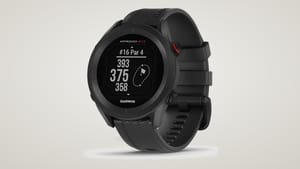
The Garmin Approach R10 ($599, Amazon) is the lowest-cost path to virtual golf rounds. It offers a dozen metrics and pairs with Garmin Golf app, E6 Connect, and other platforms. The trade-off: indoor accuracy is mixed according to user reports, and it struggles with spin measurement. If your primary goal is a data-rich driving range experience rather than a full simulator, it does the job.
The Garmin Golf app premium tier costs about $60/year. For an entry-level setup, budget around $900-$1,000 total hardware, then add software as needed.
Total Cost of Ownership: The Subscriptions You Need to Know About
| Software | Annual cost | What it adds |
|---|---|---|
| GSPro | $250/yr | 30,000+ community courses, highest realism |
| Rapsodo Premium | $199/yr | Spin data, club path, simulator access, 240fps video |
| Garmin Golf Premium | ~$60/yr | Wind data, premium stats, expanded features |
| E6 Connect | Free tier available | Photorealistic courses, compatible with both units |
If you only want driving range data and no virtual courses, you can run either unit for free after the hardware purchase. Full simulation play requires budgeting $60-$250 per year on top of hardware. Factor that into your total cost before deciding which monitor to buy.
What You're Giving Up vs. Higher-Budget Setups
The honest version: a $10,000 simulator setup adds a dedicated enclosure, a premium impact screen, a high-lumen short-throw projector, and better overall immersion. The launch data quality at the monitor level isn't dramatically different if you're comparing the MLM2PRO to an entry-level SkyTrak+, but the experience of hitting into a screen vs hitting into a net is genuinely different.
Photometric camera units (SkyTrak+) also work better in tight spaces because they sit beside the ball rather than behind the golfer. If your room is under 14 feet deep, you'll need to consider a camera-based unit. For more on planning your space, our
That's not a knock on radar units. It's just what the architecture allows. At $3,000 total budget, you're not getting camera-based precision, and that's fine for 90% of what most mid-handicappers want to do.
Golf Simulator Room Planning Guide covers ceiling height, room depth, and net placement in detail.
For a deeper look at the monitors themselves, our
Best Launch Monitor Under $1,000 guide compares the leading options at this price point side by side.
Building or buying a home golf simulator? I put the research most buyers do the hard way into one place. The Home Golf Simulator Handbook walks through picking the right launch monitor, fitting the setup to your actual space, and building a practice plan that pays off, without the brand loyalties or affiliate pressure that shape most buying advice.
Frequently Asked Questions
Can I build a full enclosure for under $3,000?
Unlikely unless you source materials second-hand and build the frame yourself. A quality enclosure, impact screen, and projector typically cost $1,500 or more combined. That leaves insufficient budget for a reliable launch monitor and mat. The net-and-monitor setup is the realistic $3,000 build.
Which budget launch monitor is most accurate indoors?
The Rapsodo MLM2PRO is widely regarded as the most accurate sub-$1,000 unit for indoor use. Its dual-camera system and use of proprietary RPT dotted golf balls delivers measured spin data, not estimated. The Garmin R10 is a solid outdoor unit but shows mixed indoor results in user testing.
Do I need paid software to play virtual courses?
Yes. Both units come with basic driving range apps, but playing full virtual courses requires a subscription: GSPro ($250/yr), Rapsodo Premium ($199/yr after the first year), or Garmin Golf Premium ($60/yr). Budget for this ongoing cost before deciding which monitor to buy.
How much room do I need for a radar launch monitor?
Radar units like the Garmin R10 and Rapsodo MLM2PRO require the device to sit 6.5-8.5 feet behind the ball, plus at least 8 feet of ball flight to the net. Total depth needed: 14.5-16.5 feet minimum. Measure your space before purchasing either unit.
Is the mat important, or can I use a cheap one?
The mat matters more than most golfers realize. Budget mats with tight, firm surfaces can cause wrist and elbow pain over time, particularly for golfers with steep swings. Allocate at least $150-$200 for a mat that offers genuine shock absorption. This protects your joints during high-volume practice sessions.
Some links in this article are affiliate links. If you buy through them, I earn a small commission at no extra cost to you. This never influences what I cover or recommend. I link to gear I'd buy myself.









The golf newsletter that cuts the hype
Data-backed reviews and advice that works. No brand spin.
Recommended products